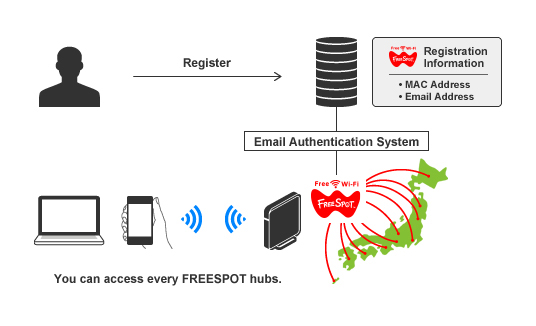
How to Register Your Device to FREESPOT
Two registration methods are available:
1. Register Before Connecting
2. Register on the Spot
(Please note that there may be conditions to determine how you can register.)
How to Register Before Connecting
1. Open the pre-registration page.
2. Enter your email address and your device's MAC address; select "I agree" and click [Submit].
Click here for more information on finding your device's MAC address.
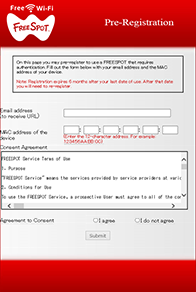
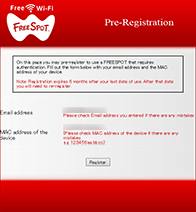
3. Verify the information and click [Register].
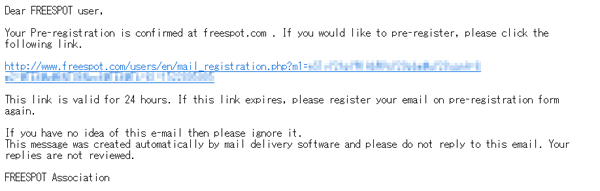
4. You should receive an email from FREESPOT shortly. Click the URL in the email.
Note: Configure your anti-virus and spam filter to allow emails from the "@freespot.com" domain.
5. Registration is finished.
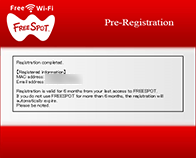
How to Register on the Spot
Note: Some devices may not be able to register on the spot. Click here for more information.
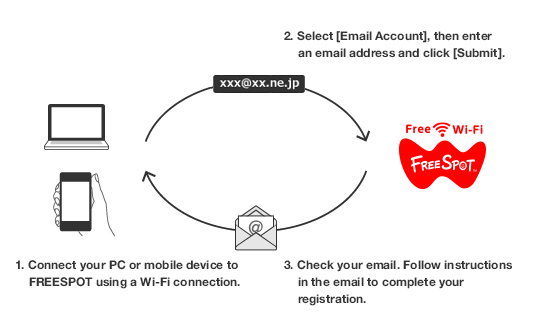
Watch videos for details on how to connect
[How to view videos]
| Fast foward | Press -> Key | Play speed | Set by a gear icon of the lower right while playing the video |
| Rewind | Press <- Key | Pause | Click a screen while playing the video |
| Jump | 1,2,3,,,9 Key | Play | Click a screen when video is paused |
 Email Authentication (iPhone) |
 SNS Account Authentication (iPhone) |
 Guest Access (iPhone) |
 Email Authentication (Android) |
 SNS Account Authentication (Android) |
 Guest Access (Android) |